
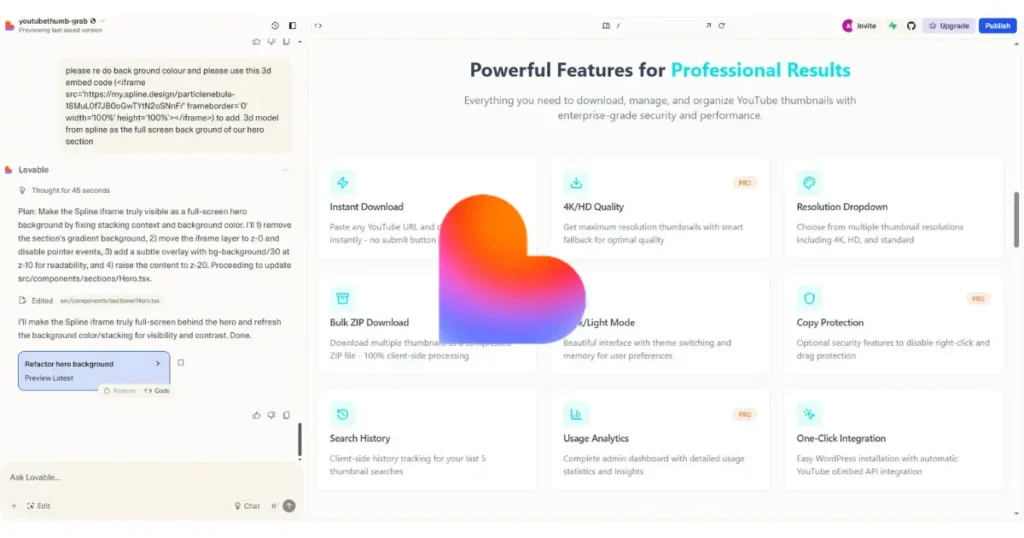
Introduction to Lovable: Revolutionizing App Building with AI
Hey everyone! The world of app development is changing faster than ever—gone are the days when you needed to be a coding wizard to turn a brilliant idea into a functional app. Now, with innovative tools like lovable, anyone can create full-stack applications without writing a single line of code. It’s a text-to-app service that lets you describe your concepts through a simple chat interface, and the AI magically transforms them into real, working apps. I’ve tried it out myself, and honestly, it’s not just efficient—it’s downright fun, like piecing together a creative puzzle that springs to life in minutes.
Imagine chatting with an AI buddy: “Hey, build me a to-do list app with user login, email reminders, and paid subscriptions.” Boom—it’s done, complete with data persistence and a sleek design. In this post, I’ll dive into everything you need to know about lovable, from its standout features and real-world benefits to a few honest drawbacks like security concerns, slower workflows for seasoned devs, and debugging hurdles for beginners. Plus, I’ll guide you step-by-step through building and publishing your own practical to-do list mobile app, showing why it’s a game-changer for creators, entrepreneurs, affiliate marketers, and dreamers in 2025.
Whether you’re a total newbie or a pro looking to speed things up, lovable empowers you to focus on ideas over technical headaches—let’s get started!
What is Lovable
Lovable is an AI-powered platform that allows anyone — whether you’re a developer or a complete beginner — to transform ideas into fully functional applications simply by describing them in plain English. Instead of dealing with the complexities of traditional coding, you can chat with Lovable as if you’re talking to a smart assistant: “Build me a blog site with user login and a dark theme” or “I need a task manager app that sends notifications”. Within seconds, the AI generates both the frontend and backend of a production-ready app.
Under the hood, Lovable uses some of the most reliable and modern technologies:
- React → A powerful JavaScript library for building responsive and flexible user interfaces.
- Tailwind CSS → A utility-first framework that makes styling apps fast and customizable.
- Vite → A next-generation build tool that ensures apps load quickly and the development process feels seamless.
- Supabase → An open-source backend solution providing authentication, real-time databases, and cloud functions to handle your app’s data.
This tech stack ensures that the applications built on Lovable are not just prototypes but scalable, responsive, and ready for real-world use.
Another unique feature of Lovable is how it balances ease and flexibility. While you can’t directly edit code inside the Lovable interface, it integrates seamlessly with GitHub, allowing you to sync, modify, and collaborate on your project just like a traditional development workflow. This means you get the best of both worlds — the simplicity of no-code and the flexibility of real coding.
In short, Lovable is more than just a no-code builder. It’s a full-stack AI partner that empowers you to turn ideas into working apps quickly, without compromising on quality or ownership.
How to Create Your First Project on Lovable.dev (Step-by-Step for Beginners)
Lovable.dev is an innovative AI-powered no-code platform that lets you build functional web apps just by describing them in everyday language—no coding skills required. As a blogger or content creator diving into tech tools, I’ve found it super handy for quickly prototyping things like SEO dashboards or content generators, saving hours of development time while keeping things simple and fun.
Prerequisites
Before jumping in, make sure you have:
- A free account on Lovable.dev (sign up takes just a minute on their site).
- A straightforward app idea boiled down to one line, such as “a dashboard for tracking blog SEO metrics” or “a tool to brainstorm content ideas.”
- A reliable browser like Chrome or Firefox for the best experience.
Step-by-Step Guide to Building Your First Project
Here’s how to get started, based on my own experiments and official guides—I’ll keep it practical and beginner-friendly.
- Log In and Set Up Your Workspace
Head to Lovable.dev, sign in (or create an account if new), and set up a workspace. Name it something descriptive, like “Blog SEO Tools Hub.” This workspace is essentially your organized space for managing projects, files, and versions—think of it as your personal app-building studio. - Create a New Project
From the dashboard, hit the “New Project” button. If they offer templates (like basic apps or dashboards), pick one to speed things up; otherwise, go with “Blank Project” for total flexibility. Give your project a clear name, such as “SEO Dashboard Prototype,” to make organization and future deployments easier. - Describe Your App with AI Prompts
In the editor, use the AI prompt box to explain what you want in plain English. Get specific about features, pages, and behaviors to get the best results.
For example: “Build a simple SEO dashboard app with a homepage displaying keyword rankings, traffic stats, and a button to generate optimization tips. Add a settings page for entering API keys.”
The AI will instantly create the app’s structure, including UI elements, navigation, and basic functionality. Preview it, then refine with follow-up prompts like:- “Add a table showing top keywords with columns for keyword, search position, and volume.”
- “Display an alert if traffic drops below 1000 weekly visitors.”
- “Include a content ideas page with an input field and a ‘Suggest Titles’ button.”
This iterative process feels magical and keeps things aligned with your vision.
- Customize Design and User Experience
Switch to the visual editor to fine-tune the look and feel—adjust colors, fonts, layouts, and spacing without any hassle. Drag and drop ready-made components like buttons, forms, charts, tables, or cards. For a user-friendly app, focus on skimmability: use bold headings, concise labels, and intuitive calls-to-action (e.g., “Run Analysis”). - Incorporate Data and Logic
If your app needs smarts, connect to databases or services through built-in integrations (like Google Analytics APIs or Firebase for storage). Describe logic in simple terms, and let the AI handle the wiring:- “If the bounce rate exceeds 70%, highlight it in red with a warning message.”
- “On clicking ‘Generate Tips,’ produce 5 SEO suggestions and save them to a list.”
This step adds real power, especially for SEO tools, but skip it for super-basic prototypes.
- Test Everything in Preview Mode
Click “Preview” to interact with your app in a safe environment. Test key scenarios: what happens with empty fields, long inputs, or errors? If anything doesn’t click, tweak the prompt or editor directly. This ensures your app works smoothly before going live. - Deploy and Share
Once satisfied, click “Deploy” to publish. You’ll get an instant shareable URL for free hosting—ideal for demos or testing with your audience. For more polish, consider upgrading for custom domains or advanced features later.
I have also created my own tool site with Lovable. If you want, you can go there and see what kind of website can be created with it. my website name is Brandbabu.and you also visit another website but that website is not made by lovable website is skillgenerator.in
Smart Tips for Content Creators and SEO Enthusiasts
- Keep It Minimal: Begin with a tiny app—one page, one main function—and expand based on real feedback. It’s way less overwhelming.
- Name Smartly: Use clear names for pages and elements; it helps the AI understand you better and keeps your project tidy.
- Craft Effective Prompts: Focus on actions, data, and results—e.g., specify “pages,” “fields,” and “outcomes” to avoid vague outputs.
- Integrate Thoughtfully: Only add connections (like to WordPress or analytics) when they add value; overcomplicating early on can slow you down.
- Embrace Iteration: View each version as a quick experiment. Deploy often, gather input, and refine—it’s how pros build great tools fast.
Example Prompts to Get You Started
Feel free to copy and adapt these for your own projects:
- “Design a content idea generator: include a text box for entering a niche, a button that generates 10 blog title ideas in a list, and a ‘Copy All’ option.”
- “Build a keyword tracker app: allow CSV uploads of keywords, display a table with position, search volume, trends, and a chart for the top 5 changes.”
- “Create a landing page auditor: take a URL input, check basics like title length, meta description, H1 tags, and image alts, then give an overall score out of 100.”
Common Pitfalls and How to Dodge Them
- Vague Descriptions Lead to Messy Apps: Fix by being precise—e.g., “Add a dashboard with three cards: traffic overview, average position, and conversion rates.”
- Overdesigning from the Start: Stick to a simple, clean layout with neutral colors and high contrast for easy reading.
- Forgetting to Test: Always run through user flows, including happy paths and edge cases like no data or invalid entries.
Quick Launch Checklist
- Defined a one-line app goal
- Set up named workspace and project
- Written a detailed prompt covering pages and actions
- Applied basic design tweaks for branding
- Thoroughly tested in preview (including errors)
- Deployed with a ready-to-share URL
5 Common Mistakes Beginners Make on Lovable.dev (and How to Avoid Them)
Lovable.dev is a game-changing AI-powered no-code platform that lets beginners like bloggers and marketers build custom web apps—think SEO dashboards or content tools—simply by chatting with AI in everyday language. As someone who’s tinkered with it for my own tech projects, I’ve seen how easy it is to trip up at first, but dodging these common pitfalls can turn frustration into smooth sailing and help you create apps that truly boost your workflow.
Why These Mistakes Matter for Beginners
If you’re new to no-code tools, Lovable.dev feels like magic, but small slip-ups can lead to buggy builds or wasted time. Drawing from user stories on Reddit and tutorials, here are five common mistakes beginners make, plus practical fixes to keep your projects on track—whether you’re prototyping for SEO optimization or content creation.
- Crafting Vague or Overly Ambitious Prompts
It’s tempting to jump in with something loose like “Make an SEO app,” but this often spits out a jumbled mess of irrelevant features, leaving you with a half-baked project that needs major fixes. I’ve done this myself and ended up starting over.
How to Avoid It: Get specific right away—outline pages, elements, and actions. Try: “Design a dashboard page with a keyword table including position and volume columns, plus a button for generating tips.” This guides the AI precisely, saving you rework. - Overloading with Too Many Features Too Soon
Beginners often pile on requests, like demanding user logins, data integrations, and charts all in one prompt, which confuses the AI and creates broken connections or errors that are tough to debug.
How to Avoid It: Build in bite-sized steps—start with the core layout, then layer in logic. Use the chat interface to add one thing at a time, like first nailing the UI before tackling backend stuff. It’s like eating an elephant one bite at a time. - Neglecting Upfront Planning and Context
Without a solid blueprint, your app might end up with wonky navigation or mismatched features, turning what should be a quick build into a puzzle of “unexpected behaviors.”
How to Avoid It: Sketch a simple plan first—list your app’s goal, key pages, and must-have elements. Feed this into Lovable as custom context or even attach wireframe sketches to align the AI with your vision from the get-go. - Skipping Early Testing and Iteration
Many rush to deploy without previewing, only to discover glitches like unresponsive buttons or data that vanishes on refresh—issues that could’ve been caught early.
How to Avoid It: Hit that Preview button after every big change and test real scenarios, including edge cases like blank forms or errors. Iterate based on what you see; it’s way easier to fix small hiccups than overhaul a “finished” app. - Botching Images, Assets, or External Integrations
Uploading files or linking services like Firebase without clear directions often leads to loading fails, security errors, or assets that just don’t show up, derailing your whole project.
How to Avoid It: Be super explicit in prompts, e.g., “Add this image to the header, ensure it’s securely hosted and resized to 800×400.” Test integrations one by one, and verify everything loads before expanding.
Quick Tips to Level Up Your Lovable.dev Game
From my experiments and community insights, focus on clarity, patience, and testing—it’s what separates shaky prototypes from polished tools that enhance your blogging or marketing hustle. If you’re into SEO, imagine whipping up a custom keyword tracker without coding headaches.
For even better results, check Lovable’s official docs or YouTube tips, and remember: starting small leads to big wins. What’s your next project idea? Share in the comments!
Advanced Capabilities in Lovable.dev: Beyond No-Code Prototypes
Lovable.dev isn’t just for quick no-code prototypes—it’s got some seriously advanced tricks up its sleeve that make it feel like a smart collaborator for more ambitious projects. As a content creator who’s dabbled in AI tools, I’ve seen how these features can level up your builds, like turning a simple SEO dashboard into a full-fledged, team-editable app with automated debugging.
1. Agent Mode for Autonomous AI Magic
This is where Lovable gets really clever: Agent Mode lets the AI think, plan, and act on its own, handling complex tasks without constant hand-holding. It can search your codebase, read files, debug errors by inspecting logs, fetch web resources (like docs or images), and even generate or edit visuals—all autonomously to nail ambitious features like adding payments or fixing bugs.
I’ve used it to refactor messy code in one go, and it cuts down errors by about 90%, making it a game-changer for iterating on something like a content generator without starting over.
2. Chat Mode for Planning and Brainstorming
Think of this as your AI brainstorming buddy—it chats back without directly editing code, perfect for mapping out projects, asking questions, or troubleshooting ideas. It reasons across steps, queries databases, or inspects logs to give spot-on advice, like “Here’s how to integrate Stripe for your blog monetization tool”.
It’s super helpful for non-coders like us bloggers, as it helps plan workflows before diving into builds, saving tons of trial-and-error time.
3. Dev Mode for Hands-On Code Tweaks
If you want more control, Dev Mode lets you jump straight into editing the generated code right inside Lovable—no exporting needed. It’s like blending no-code ease with low-code flexibility, ideal for fine-tuning backend logic or custom scripts in languages like JavaScript or Python.
From my experiments, this shines when you need to optimize a feature, such as adding custom API calls to pull SEO data from Google Analytics.
4. Multiplayer Collaboration in Workspaces
Gone are the solo-builder days—now you can set up shared workspaces for teams, inviting collaborators to edit projects in real-time. Pro plans let you add unlimited folks per project, while Teams subscriptions support up to 20 users with shared credits and roles (like admins or editors).
This is awesome for content teams; imagine co-building a keyword tracker app with your SEO buddies, all chatting and tweaking together without version conflicts.
5. Built-In Security Scans and Optimizations
Lovable steps up security with a scan feature that flags vulnerabilities, like weak authentication or data leaks, especially when using Supabase for databases. It also offers AI-driven testing, generating unit tests (e.g., with Jest) and suggesting optimizations to catch performance bottlenecks early.
For bloggers handling user data in apps, this means spotting issues before launch, though it’s not foolproof—I’ve paired it with manual checks for peace of mind.
6. Seamless Integrations and Visual Tools
It hooks up effortlessly with tools like GitHub for code export/sync, VS Code for in-editor suggestions, or APIs (Stripe, Resend) for payments and emails. Plus, Visual Edits let you drag-and-drop styles like in Figma, and there’s even Figma-to-Lovable import for quick designs.
These make advanced prototyping a breeze—I’ve whipped up a responsive content idea generator with custom domains and analytics in under an hour.
Overall, these capabilities make Lovable.dev feel like a powerhouse for creators pushing beyond basics, especially if you’re into AI-assisted development for tech blogging. Start small to get the hang of them, and you’ll unlock some real efficiency boosts!
5 Limitations of Lovable.dev You Should Know Before Building Your First App
Lovable.dev makes spinning up no-code apps feel like magic, but it also has a few quirks that can slow you down. Here’s a conversational, plain-English look at the five biggest hurdles—and how to hop over them.
- Credit Caps Sneak Up Fast
Every prompt, tweak, or chat drains credits. Free users get about 5 credits a day (≈150/month), and unused credits disappear at midnight. Long debugging streaks or “Agent Mode” experiments can burn through that allotment in minutes, leaving you stuck until tomorrow (or on a pricier plan). - Complex Logic Can Trip the AI
Simple dashboards? No problem. But ask for multi-step automations, Stripe payments, or role-based access and the AI may spit back half-finished code you’ll have to patch yourself. If you’re a non-coder, that defeats the whole “no-code” promise; seasoned devs may just reach for their own toolkits instead. - Customization Hits a Wall
Inside Lovable you tweak with prompts or the visual editor only—raw code stays off-limits until you export to GitHub, which breaks the live feedback loop. That means pixel-perfect branding or deep backend tweaks often feel just out of reach. - Debugging Feels Like Guesswork
There’s no real console or error log—just chat-based troubleshooting. Model updates can also break existing builds, and long sessions may cause the AI to forget earlier steps. Result: you spend extra credits (and patience) chasing the same bug. - Security & Scale Are Afterthoughts
- Security: Features like row-level access or rate limiting aren’t baked into the default flow, so a careless prompt can leave one user poking around another’s data.
- Scalability: Large datasets or traffic spikes slow things down or crash sessions—Lovable targets prototypes, not heavy-duty production apps.
Bottom line: Lovable.dev is fantastic for quick SEO tools, content generators, and other lightweight prototypes. Just budget for credit limits, expect some hands-on debugging, and plan to harden or migrate your app if it grows beyond hobby scale.
Final Thoughts: Is Lovable.dev the Creative Partner You’ve Been Waiting For?
To wrap it up—Lovable.dev isn’t just another no-code tool; it feels like having a smart partner who actually gets your ideas and helps bring them to life without drowning you in code. As someone who experiments with AI tools for content and SEO, I’ve loved how it makes building apps and dashboards way less intimidating. Instead of wrestling with technical roadblocks, you get to stay focused on what really matters: creating and experimenting.
We’ve walked through the essentials, explored advanced gems like Agent Mode and cloud functions, and even looked at practical add-ons like GitHub integration and Stripe subscriptions. Of course, it has its limits—things like credit usage and scaling hurdles—but honestly, no tool is perfect.
For bloggers, marketers, and entrepreneurs, it shines brightest when you want to spin up an MVP, test an idea, or collaborate with teammates quickly. It saves you time, sparks creativity, and makes the whole “AI-assisted development” journey fun instead of frustrating.
So here’s my take: give it a shot. Start small, maybe with a content tool or SEO helper, and see where it takes you. Who knows? Your next big idea might just be one Lovable prompt away.
👉 What would your first Lovable project be? Share it in the comments—I’d love to swap ideas and maybe even team up!
