

In today’s digital world, websites are the backbone of online businesses, blogs, and services. But many website owners focus only on design and content, ignoring one critical technical factor how servers respond to requests. This is where an HTTP Status Code Checker Tool becomes extremely important.
Whether you are a blogger, SEO expert, developer, or website owner, understanding HTTP status codes and checking them regularly can save your site from ranking loss, broken pages, and poor user experience.
What Is an HTTP Status Code Checker Tool?
An HTTP Status Code Checker Tool is an online utility that checks the response code returned by a web server when a URL is requested. Every time a browser or search engine visits a webpage, the server responds with a numeric code called an HTTP status code.
These status codes tell whether-
- The page is working correctly
- The page is redirected
- The page does not exist
- The server has an error
For example:
- 200 OK – Page is accessible
- 301 Moved Permanently – Page is redirected
- 404 Not Found – Page does not exist
- 500 Internal Server Error – Server problem
An HTTP Status Code Checker Tool fetches this response and displays it in a clean, easy to understand format.
Why HTTP Status Codes Matter for Websites & SEO
Search engines like Google heavily depend on HTTP status codes to crawl, index, and rank websites. If your site sends incorrect signals, it can directly affect your SEO performance.
Problems caused by wrong status codes:
- Pages not indexed
- SEO juice lost due to wrong redirects
- Crawl budget wasted
- Bad user experience
- Ranking drops
Using an HTTP Status Code Checker Tool helps you detect and fix these issues before they damage your website.
Common HTTP Status Codes Explained
Understanding these codes helps you use the tool more effectively.
1. 200 – OK
The page is working perfectly and accessible.
2. 301 – Moved Permanently
The page is permanently redirected to another URL. Best for SEO when changing URLs.
3. 302 – Found (Temporary Redirect)
Used for temporary redirections. Not recommended for permanent SEO changes.
4. 404 – Not Found
The page does not exist. Too many 404s can harm SEO.
5. 403 – Forbidden
Access is denied due to permissions.
6. 500 – Internal Server Error
A server-side issue that needs immediate fixing.
How Does an HTTP Status Code Checker Tool Work?
The working process of an HTTP Status Code Checker Tool is simple but powerful.
Step 1. User Enters a URL
The user inputs a website or webpage URL into the tool.
Step 2. Tool Sends HTTP Request
The tool sends an HTTP request (HEAD or GET) to the server.
Step 3. Server Responds
The server sends back a response containing:
- Status code
- Headers
- Redirect information
Step 4. Tool Reads the Response
The tool captures and interprets the response.
Step 5. Results Are Displayed
The status code, its meaning, redirect chain, and final URL are shown to the user.
Advanced tools can also check:
- Bulk URLs
- Redirect chains
- Response time
- Mobile vs desktop responses
How to Make an HTTP Status Code Checker Tool
Building your own HTTP Status Code Checker Tool is easier than it sounds.
1. Decide the Features
Basic Features
- Single URL checking
- Status code display
- Status meaning
Advanced Features
- Bulk URL checker
- Redirect chain tracking
- Final destination URL
- Response time
- Export results
2. Choose Technology Stack
Frontend
- HTML – Structure
- CSS – Design
- JavaScript – User interaction
Backend (Mandatory)
Browsers cannot fetch HTTP headers directly due to security restrictions, so a backend is required.
Recommended backend options:
- PHP (cURL)
- Node.js (Axios / Fetch)
- Python (Requests)
PHP is beginner-friendly and widely supported.
3. Backend Logic (Core of the Tool)
The backend:
- Sends request to URL
- Follows redirects (optional)
- Captures HTTP response code
- Returns structured data
Using PHP cURL:
CURLOPT_NOBODYfor headers onlyCURLOPT_FOLLOWLOCATIONfor redirectsCURLINFO_HTTP_CODEfor status code
4. Frontend Interface
Create:
- URL input box
- Check button
- Result area
Use JavaScript fetch/AJAX to send requests to backend and display results dynamically.
5. Handle Redirect Chains (SEO Feature)
To display:
301 → 302 → 200
You need to:
- Disable auto-follow redirects
- Capture
Locationheaders - Loop requests until final response
This feature is extremely valuable for SEO professionals.
6. Security & Optimization
- Validate URLs
- Set timeout limits
- Rate-limit requests
- Allow HTTPS only
This prevents server abuse.
Here is an image given below which you can see and understand how your tool site will be made and you can also visit to this website and see how it works by clicking on this link- HTTP Status Code Checker Tool
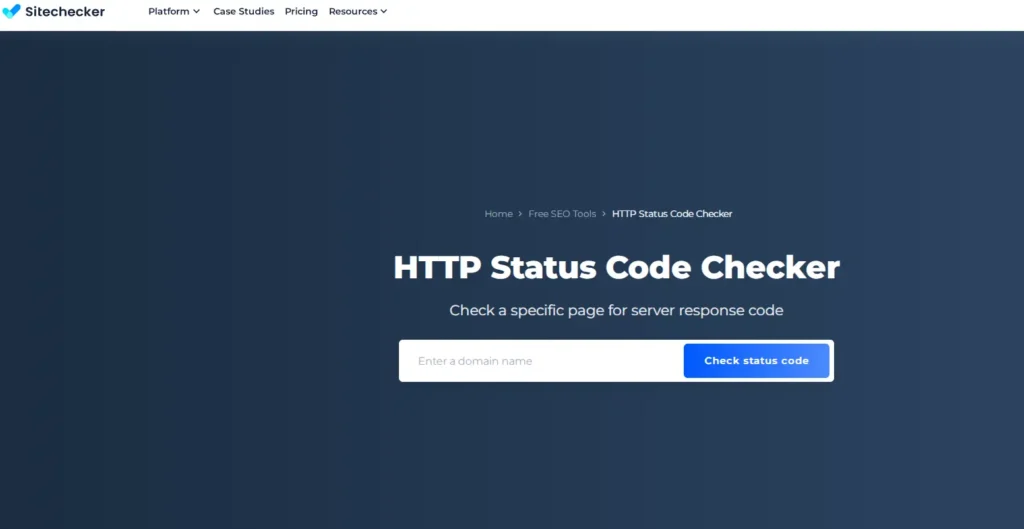
Features of an HTTP Status Code Checker Tool
A good tool usually includes-
- Single URL checker
- Bulk URL checking
- Redirect chain analysis
- Final destination URL
- Status explanation
- Response time
- Clean and fast UI
Advanced tools may include-
- API access
- Export CSV
- Scheduled monitoring
Why Should You Use an HTTP Status Code Checker Tool?
Reasons you should use this tool regularly:
- Identify broken links
- Fix redirect issues
- Improve SEO performance
- Help search engines crawl properly
- Maintain website health
- Save time during audits
It is an essential tool for technical SEO.
Benefits of HTTP Status Code Checker Tool
For SEO Experts
- Better crawling & indexing
- Correct redirect implementation
- Faster audits
For Website Owners
- Improved user experience
- Reduced bounce rate
- Stable rankings
For Developers
- Debug server issues
- Test responses quickly
For Bloggers
- Avoid broken internal & external links
How to Earn Money from an HTTP Status Code Checker Tool
This is where things get exciting
1. Google AdSense
SEO tools attract high-intent traffic.
With good traffic, AdSense can generate steady passive income.
2. Affiliate Marketing
Promote:
- SEO tools
- Hosting services
- Website audit software
Earn commissions when users sign up.
3. Premium Version
Offer advanced features:
- Bulk checking
- Export reports
- API access
- Ad-free experience
This turns your tool into a small SaaS product.
4. Sponsored Listings
SEO companies may pay to get featured on your tool page.
SEO Tips to Rank Your Tool Page
Since you focus on SEO blogs, apply these :
- Clean URL structure
- Tool schema markup
- Fast loading speed
- Informational content below tool
- Internal linking
- High-quality backlinks
If you want to learn how to make a http status code checker Tool,Then according to me, Skillgenerator is the best platform for learn this.
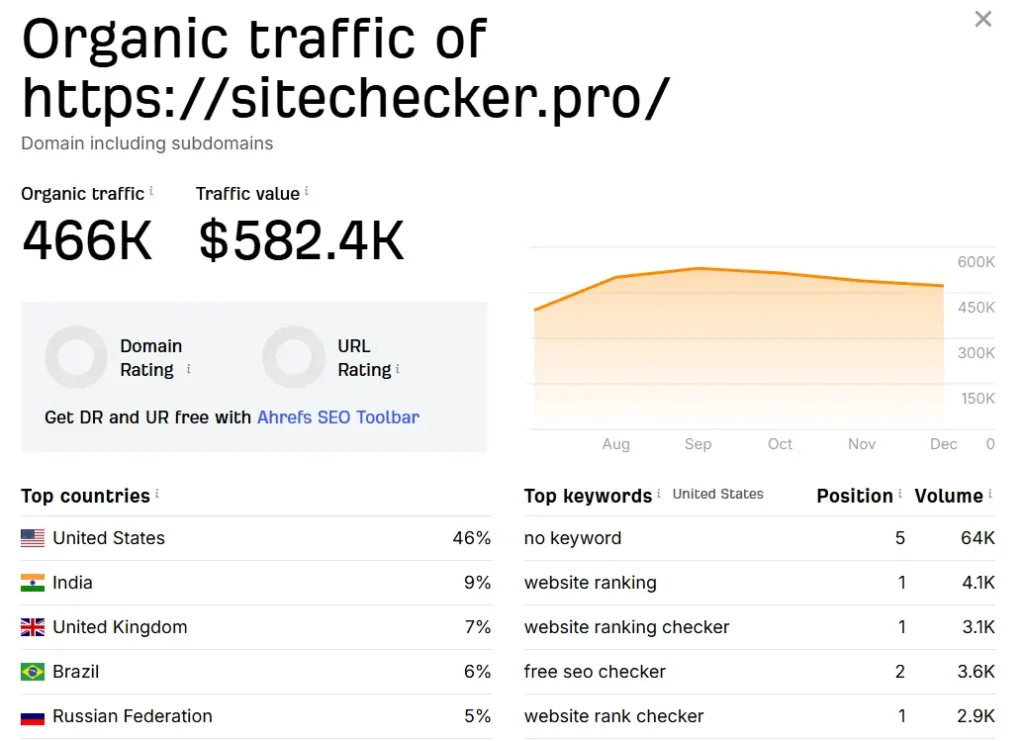
here is a live example through image of earning from http status code checker Tool-
Conclusion
An HTTP Status Code Checker Tool is a simple yet powerful utility that plays a crucial role in website health and SEO success. It helps you understand how servers respond, fix errors before they hurt rankings, and maintain a smooth user experience.
From bloggers and developers to SEO professionals, everyone can benefit from using this tool regularly. Even better, if you build and promote your own HTTP Status Code Checker Tool, it can become a long term passive income asset through ads, affiliates, and premium features.
In a world where websites grow daily and competition keeps increasing, tools like this will always stay relevant. If built correctly and marketed smartly, your HTTP Status Code Checker Tool can work for you – 24/7.
