
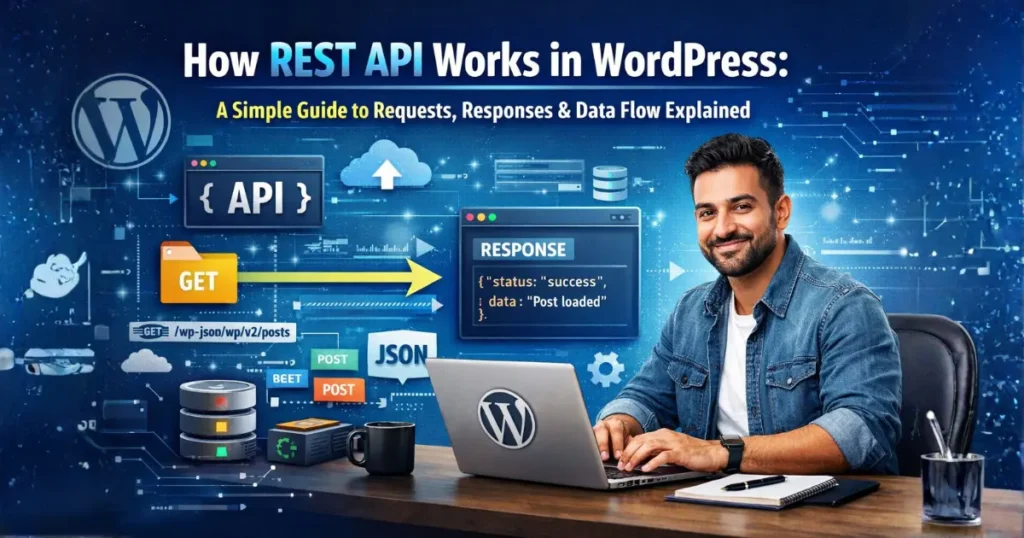
Introduction
If you’ve ever tried to understand how modern websites or apps communicate with servers, you’ve probably come across the term REST API. But let’s be honest—most explanations online make it sound way more complicated than it actually is. Terms like requests, responses, endpoints, and JSON can quickly confuse beginners who are just getting started.
So, what is a REST API and why does it matter so much today? In simple words, a REST API is the backbone of how different applications talk to each other. Whether you’re using a mobile app, a web application, or even a WordPress plugin, there’s a high chance that RESTful APIs are working behind the scenes to fetch and send data.
What is REST API?
A REST API (Representational State Transfer Application Programming Interface) is simply a way for different systems or applications to communicate with each other over the internet. Instead of directly accessing a database, applications use REST APIs to send requests and receive responses in a structured format, usually JSON.
To make it even simpler, think of a REST API as a bridge that connects two systems. For example, when you open a website and see data loading instantly, it’s often because a REST API is fetching that data from the server and delivering it to your screen.
This simple analogy helps you clearly understand what is a REST API and how RESTful APIs work in real-world applications without needing to dive into complex technical details right away.
How REST API Works
Understanding how a REST API works becomes very easy once you break it down into a simple flow:
Client → Request → Server → Response.
At its core, every REST API interaction follows this same pattern. Whether you are using a website, a mobile app, or even a Power BI REST API, the process remains almost identical.
🔄 Simple Flow Explanation
Let’s break it down step by step in a simple and human way:
1. Client Sends a Request
The process starts when a client (browser, app, or tool like Power BI) sends a request to the server.
👉 Example:
A user opens a blog page or clicks a button to load data.
2. Request Travels Through API
This request goes to a specific API endpoint (URL). The API acts as a middle layer that understands what the client wants.
👉 This is where REST API design becomes important, because well-structured endpoints make communication smooth and efficient.
3. Server Processes the Request
The server receives the request and performs the required action:
- Fetch data from database
- Create new data
- Update existing data
👉 In professional systems, REST API security is also checked here (authentication, permissions, etc.).
4. Server Sends a Response
After processing, the server sends back a response—usually in JSON format.
👉 Example response:
{
  "status": "success",
  "data": "Post loaded successfully"
}
5. Client Displays the Data
Finally, the client receives the response and displays it to the user without reloading the page.
👉 This complete cycle is what makes RESTful APIs fast, scalable, and powerful.
📌 Bullet Breakdown (Quick Recap)
- Client sends request
- API receives and routes request
- Server processes logic
- Response is generated
- Data is returned in JSON
- Client displays output
👉 This is a basic restful api example of how modern applications communicate.
HTTP Methods Explained
HTTP methods define what action you want to perform in a REST API. They are a key part of REST API design and help structure your application properly.
🔹 GET (Fetch Data)
Used to retrieve data from the server.
👉 Example:
Get all blog posts
GET /wp-json/wp/v2/posts
👉 Use case:
- Fetch user data
- Load posts or products
🔹 POST (Create Data)
Used to send data to the server and create something new.
👉 Example:
Create a new post
POST /wp-json/wp/v2/posts
👉 Use case:
- Add new user
- Submit form
🔹 PUT (Update Data)
Used to update existing data.
👉 Example:
Update a post
PUT /wp-json/wp/v2/posts/1
👉 Use case:
- Edit profile
- Update content
🔹 DELETE (Remove Data)
Used to delete data from the server.
👉 Example:
Delete a post
DELETE /wp-json/wp/v2/posts/1
👉 Use case:
- Remove user
- Delete item
👉 These methods are essential for building scalable and secure systems, especially when implementing proper REST API security.
What is JSON in REST API
JSON (JavaScript Object Notation) is the most commonly used format for sending and receiving data in REST APIs.
💡 Why JSON is Used
There are several reasons why JSON is preferred in RESTful APIs:
- Lightweight and fast
- Easy to read and write
- Supported by almost all programming languages
- Perfect for web and mobile apps
👉 Tools like Power BI REST API also rely heavily on JSON to exchange data efficiently.
📦 Simple JSON Example
{"name": "Vivek",
  "role": "Developer",
  "status": "Active"}
🧠 How JSON Works in REST API
- Client sends request
- Server processes it
- Server returns data in JSON
- Client reads and displays it
👉 This makes REST APIs simple, flexible, and easy to integrate into any system.
How REST API Works in WordPress
If you already understand what is a REST API, then learning how it works in WordPress becomes much easier. WordPress comes with a built-in REST API that allows developers to interact with website data without touching the database directly. This is why modern plugins, themes, and even headless websites rely heavily on RESTful APIs.
🔗 What is /wp-json/ in WordPress?
In WordPress, every REST API request starts with a base URL:
/wp-json/
This is the entry point of the WordPress REST API. When you visit this URL on your site, it returns a list of all available API routes (also called endpoints).
👉 Example:
https://example.com/wp-json/
Think of /wp-json/ as a gateway that tells WordPress:
“Hey, this request is for the REST API, not a normal web page.”
📌 Default WordPress REST API Endpoints
WordPress provides several built-in endpoints that you can use immediately. These are known as wp rest api endpoints.
Here are some common ones:
/wp-json/wp/v2/posts→ Get all posts/wp-json/wp/v2/pages→ Get all pages/wp-json/wp/v2/users→ Get users/wp-json/wp/v2/comments→ Get comments
👉 These endpoints make it easy to fetch or manage data using REST APIs without writing complex queries.
⚙️ What Happens Internally?
When a request is made to a WordPress REST API endpoint, several things happen behind the scenes:
- Request is received
WordPress detects that the request is coming through/wp-json/. - Route is matched
It checks which endpoint is being called (e.g., posts, users). - Permission check (Security)
WordPress verifies access permissions—this is an important part of REST API security. - Data is processed
WordPress interacts with the database to fetch, create, or update data. - Response is returned
Data is sent back in JSON format to the client.
👉 This entire process is what makes RESTful APIs in WordPress fast, structured, and scalable.
🚀 Why This Matters (SEO Insight)
Understanding this flow is essential if you are writing a wordpress rest api tutorial, because it helps beginners clearly see how data moves inside WordPress using REST APIs.
Real Example
Now let’s look at a practical restful api example, because real-world usage is what helps both users and Google understand your content better.
💻 Fetch Data Using JavaScript
Here’s a simple example of fetching posts from WordPress:
fetch('/wp-json/wp/v2/posts')
  .then(response => response.json())
  .then(data => console.log(data));
👉 What’s happening here?
- The client sends a request to
/wp-json/wp/v2/posts - WordPress processes the request
- Data is returned in JSON format
- JavaScript displays the data
📦 Example API Response
Here’s what a typical response looks like:
[
  {
    "id": 1,
    "title": {
      "rendered": "Hello World"
    },
    "status": "publish"
  }
]
🧠 Understanding This Example
This simple example explains everything about how REST API works:
- You send a request (client side)
- WordPress handles it (server side)
- You receive structured data (JSON)
👉 This is the core concept behind all RESTful APIs, whether you are building a plugin, a mobile app, or integrating tools.
🔥 Pro Tip for Ranking
Including examples like this makes your blog stronger because:
- It improves user engagement
- Increases time on page
- Helps Google understand your content better
🎯 Final Insight
If you can understand:
/wp-json/structure- WordPress REST API endpoints
- Real request-response example
👉 Then you’ve mastered the basics of what is a REST API and how REST APIs work in WordPress.
Common Mistakes Beginners Make
When learning what is a REST API and working with RESTful APIs, beginners often make small mistakes that can cause big problems later. Understanding these early helps you build better and more reliable APIs.
- Not Securing the API → Leaving endpoints open without authentication can expose your data to anyone.
- Wrong HTTP Method → Using incorrect methods (like GET instead of POST) breaks proper REST API structure.
- Not Understanding JSON → Misreading or sending incorrect JSON data leads to errors and failed responses.
👉 Avoiding these mistakes improves performance, user experience, and even engagement + dwell time on your content.
Best Practices
To build scalable and efficient APIs, following REST API best practices is essential. These practices ensure your API is secure, fast, and easy to manage.
- Use Authentication → Protect your API with methods like API keys or tokens for better REST API security.
- Validate Data → Always check and sanitize input data to avoid errors and vulnerabilities.
- Keep API Lightweight → Return only necessary data to improve speed and performance.
👉 Following these REST API best practices helps you create professional, secure, and high-performing APIs.
FAQs
1. What is a REST API in simple terms?
A REST API is a way for applications to communicate with a server using HTTP requests and receive data in formats like JSON.
2. How does a REST API work?
A REST API works through a simple flow: client sends a request, the server processes it, and returns a response.
3. What are RESTful APIs?
RESTful APIs are APIs that follow REST principles like using HTTP methods (GET, POST, PUT, DELETE) for communication.
4. What is JSON in REST API?
JSON is a lightweight data format used to send and receive data in most REST APIs.
5. What is /wp-json/ in WordPress?
It is the base URL for accessing WordPress REST API endpoints and interacting with site data.
6. What are common REST API methods?
The main methods are GET (fetch), POST (create), PUT (update), and DELETE (remove).
7. Why is REST API important?
REST APIs help build fast, scalable, and dynamic applications by enabling smooth communication between systems.
8. What is REST API security?
It involves protecting APIs using authentication, permissions, and data validation to prevent unauthorized access.
9. What are REST API best practices?
Best practices include using authentication, validating data, and keeping APIs lightweight and efficient.
10. Can beginners learn REST API easily?
Yes, once you understand the basic flow and concepts, learning REST APIs becomes simple and practical.
Conclusion
Understanding what is a REST API and how RESTful APIs work is a crucial skill in modern web development. From handling requests and responses to working with JSON and WordPress endpoints, REST APIs make it possible to build fast, scalable, and interactive applications.
By learning the basic flow, avoiding common mistakes, and following REST API best practices, you can confidently start using APIs in your projects. Whether you’re building a WordPress plugin, a web app, or integrating external tools, mastering REST APIs will open the door to more advanced and powerful development opportunities 🚀
